This is an old revision of the document!
Table of Contents
July 2026 newsletter
Our next Folk open house will be in the evening on Wednesday, August 26, at our studio in Williamsburg, Brooklyn.
What we've been up to
Demos
Color Spinner 2
Improvements to Amanda Yeh's color spinner from last month: nicer ergonomics (via attaching the program to an even bigger, cork coaster) and improving the angle° → HSL Color gradient function to be smoother and responsive to even the smallest changes in rotation about its center. Here's a clip from people enjoying the new color spinner at the open house:

Blend modes
Inspired by the color wheel and wanting to join multiple color wheels, Amanda and Omar worked on blend modes in Folk. Screen blending works surprisingly well and has a rather striking visual effect:


Makes me think of all the things we can do with overlapping programs, what if you can combine programs by moving them on top of each other and create something new
Amanda also notes that it's nice that it makes the blended area between the two pages a meaningful, active area, like the intersection in a Venn diagram, instead of a glitchy dead zone
We got this effect with these minor changes to the GPU system to do screen blending:

Wondered if we could make this blending a canvas option or even just make it the default (it's nice that it makes page overlaps commutative!). But it breaks tag masking, so haven't taken further for now.
Marble Run
Josh Horowitz came by and reimplemented the old Marble Run demo from Dynamicland, where a projected white ball falls along any dark objects on the page:
Here's the code for the latest version:

General system improvements
- Omar renamed the old Expect! to Require! to better communicate that it will fail if its preconditions aren't met right at call time
- (Useful for grabbing libraries and other config for point actions / Subscribes)
- Created a new
Expect!that actually awaits the appearance of a matching statement – good for race situations where you set a bunch of stuff up and don't care about order, just that they all come in eventually (also arbitrarily picks first one if multiple come in)- (Useful for expecting the next camera slice when registering objects, since you don't want to react to future camera slices beyond that next one)
- Audrey Gu has been working on improving calibration experience: the initial projected tags are now automatically centered
- Made errors not part of Atomically to fix errors piling up and pinning their entire convergence zone
- Made titles automatically wrap and cut off – makes error reporting more usable
- Omar and Josh implemented ''imageLib get'' (originally called
probeand printed separately)- Function to get (from Folk userland code) a pixel RGB value from an image (usually useful for camera slice)
- Used in marble run
- Simpler demo: color picker (the white circles are getting color from whatever is at their center)
- Omar implemented PostScript print mixins, so a program can declare extra stuff to be printed when it reprints
- This program prints with a red circle in its center, for example:


Shapes performance fix
Omar: Case study of a small but impactful performance fix. I noticed that circle calls like in the color wheel were causing significant slowdown, and saw that shapes.folk was taking an alarming amount of time here (1ms!):

I traced the execution of that block with magic-trace and found a very surprising bottleneck – conversion to string inside uplevel:

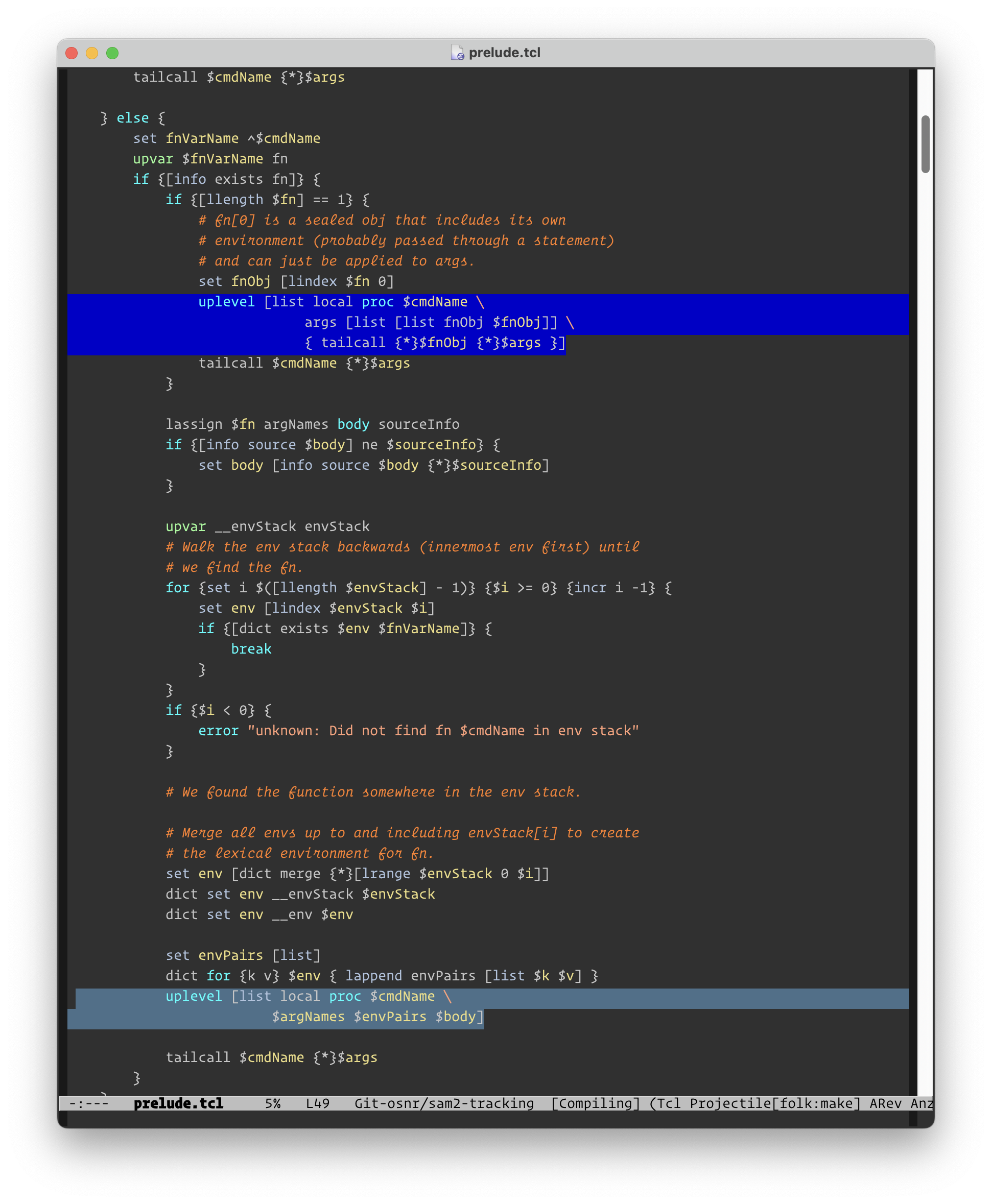
It turned out that this results from the shapes library heavily using fn functions, which are implemented using uplevel internally to control the scope in the caller of the fn. uplevel was stringifying the whole expression passed to it, which is slow. It turned out the only reason that uplevel does this is to check if its first argument is a level number vs. code… The fix was weirdly simple: explicitly call uplevel with 1. Sure enough, shapes is now 5x faster:

(Really weird that small things like this can make such an impact!)
Autoexposure
Omar: I've been sort of working on a Folk-specific autoexposure module, spurred on by the brittleness of binarization + contour tracing last month, and by watching us repeatedly have to remember to adjust the exposure on systems based on sunlight (the system usually continues working under bad exposure conditions, but in a degraded mode, so it's easy to forget that you should tune it).
This Folk autoexposure would be different than normal USB/webcam autoexposure because it's trying to get good AprilTag recognition first and foremost, rather than make a nice photo or video for humans. Folk also has ground truth of the white and black regions of any detected AprilTag, so we could adjust around those (try to get some minimum level of value separation between white and black, for example) instead of just using a global average of the image:

Basically, my autoexposure system wakes up every few seconds and computes a target exposure time from the current average white of any detected AprilTags. Its UI is the autoexposure checkbox on /camera (which has been changed to control Folk autoexposure instead of webcam autoexposure); the page also reports average white value:

Some log output showing it wake up and adjust when possible:

Some questions are how to do the scheduling (it needs to be a serial block or an infinite loop, not run multiple instances at once as in this buggy version profiled below) and how exactly to target the desired exposure value (should it step a bit at a time instead of immediately setting the exposure?)

gadget2 decay
Omar: The Folk gadget2 has deteriorated a lot: case is falling apart, microSD card failed again. Also spent a while debugging GPU driver issues.
Need to do some of the promised redesigns (smaller battery, all-in-one PCB using Raspberry Pi compute module with built-in storage instead of microSD & Pi cameras, stronger/smaller case, smaller heat sink/cooling situation).
SAM2 object tracking and DrawTalking
Audrey Gu and Karl Rosenberg and Omar have been working on object tracking techniques, UI, and integration with Karl's DrawTalking system:


Karl has brought in a variety of objects (toys, cups, game tokens etc) to try to track:


Last month, we started hacking on contour trace to track objects in Folk.
Contour tracing is a useful primitive (it's how you go from image to queryable/collidable geometry), but it's very dependent on lighting conditions, it doesn't give you contour/object recognition and identity across frames, and the contours are distorted based on camera position.
New viewport
Last month, we worked on a dynamic viewport where you move the two corners (gold) to resize a larger-than-page-sized viewport (green):

This dynamic viewport has issues with actually getting it on the right plane so you can accurately projection-map it. (Do you take the plane from one of the corner programs? They'll have subtly different planes, like a couple millimeters variation in pose between the two of them. Do you average the corner programs? Do you try to find a plane underneath both? Do you preregister the table plane at calibration time and downproject onto it?)

This month, we've been prototyping with a big acrylic viewport with tag in corner and manually enlarged geometry (on left).

This works pretty well and is about the right size that Karl wants. We should be able to go back to the old dynamic viewport later, but punting on it for now.
SAM2 + contour tracing
This month, Omar mostly worked on stacking the Segment Anything 2 model underneath the contour tracing – you register a specific object that you want to track in SAM2, then it gives you a stream of masks of that object for the rest of the session, and you can use contour tracing to turn the mask into geometry each frame. This doesn't solve all the problems, but it solves a lot of the object identity and environmental dependence issues.
At first, we just got a mask for whatever is in the center of the program when you put it down. After that 'registration', the mask tracks the cup as I move it around (and successfully distinguishes the cup from other random objects on table):

I can also register and track the stapler instead of the cup:


But it's not geometric – the whole thing is just an image (the same size as the input camera slice) where cup pixels are white and non-cup pixels are black – we need to trace it to get a contour.
So we started tracing that mask with the CContour library from last month. Now we have a contour outline instead of a white blob, so we know the exact points that make up that outline and can query for what it's touching:
API redesign
Ultimately, we want to be able to track multiple objects at once, add and remove objects at runtime, and refine the prompt for each object over time (add points that are definitely in the object in a camera image + add antipoints that are definitely not in the object), so we need a pretty sophisticated API. (A lot of adding SAM support is about refining the Folk interface with the SAM model.)
Original stateless API
We originally started using SAM with this API, where sam2 is a callable function that takes an image and an (x, y) point in image to find the segment around:
When the SAM2 segmenter is /sam2/ &\
     the SAM2 mask-to-image library is /mtiLib/ {
  fn sam2
  When -serially $X has camera slice /sl/ {
    set point [list [/ $sl(width) 2] [/ $sl(height) 2]]
    set seg [sam2 $sl [list $point] [list 1]]
    # Now seg is a 'mask object' of 1s and 0s.

    set maskIm [$mtiLib applyMaskToImage $sl $seg(mask)]
    # Now maskIm is an image like sl but with only the segment remaining.

    Hold! -key im -keep 10ms Wish $this displays image $maskIm
  }
}
This sam2 is totally stateless. Every segmentation is independent from previous segmentations; we aren't tracking anything or defining an object to track.
Single-object tracking API
Next, an actual object tracking API that maintains the object state, using the 'camera predictor' instead of the 'image predictor'. Needed to switch to real-time fork of SAM2 and then tune it up a bit, remove dependencies, etc.
This API needs to have a prompt call (that you call once to lock onto object) and then a call to track new frame (that you call on every subsequent frame for the rest of the session).
When the SAM2 object tracker is /track/ &\
     the SAM2 prompt adder is /addPrompt/ {
    fn track
    fn addPrompt

    Wish $X has camera slice; Expect! $X has camera slice /sl0/
    set promptResult [addPrompt $sl0 0 {320 240}]

    When -serially $X has camera slice /sl/ {
        set trackedObjects [track $sl]
        # ... do stuff with $trackedObjects
    }
}
I want to note (it's not that clear) that the state (which I don't fully understand, but some compressed combination of object features, trajectory, and so on) is stored on the Python side, inside properties of the predictor instance, not in Folk.
Multi-object tracking API
Finally, we want a multi-object tracking API where you can add and refine multiple objects at runtime. (there isn't object removal yet; you restart SAM2/predictor from scratch) You probably make up an ID for each object and give it to the API, maybe derived from page ID or just a unique name.
Again, the state mostly lives in the predictor on the Python side, but you can send it prompts and antiprompts accompanied by object ID, and then send it camera frames, and it'll report back a mask for each object ID.
Here's what that looks like right now:
Wish $viewport tracks object cup in frame $frame0 with \
    prompt {320 240} antiprompt {410 240}

Wish $viewport tracks object bottle in frame $frame0 with \
    prompt {600 180}

When $page tracks object cup in frame /frame/ with /...promptSpecs/ \
     masked-slice /preview/ {
    # $preview shows the mask produced directly from the prompt frame.
}

When cup has mask /mask/ in $page with width /width/ height /height/ {
    puts "received a $width x $height mask"
}
This is a pretty high-level API, although you still need to think about camera images/frames/slices and pixel locations (mostly because a camera frame also reflects a specific time that your prompt is from). But it's nice that it hides most of the track loop from you and lets you think in terms of objects semantically.
(We made APIs on top that you can invoke that give you contour or foot contour or center, which have more geometric information than the mask. You could imagine ultimately getting a rough quad for the object, so you can projection map it or do points-at / other queries, or maybe we generalize those so they work with contours.)
Physical interface for multiple object registration
On top of the SAM2 Folk code API, we need a tabletop registration UI: how does the user actually tell SAM2 what physical object to track?
At first, have this page that you put the object in the middle of, it counts down, and then gets registered to track:


Some videos of tracking multiple objects:

Three-point registration page
To handle center-correction (discussed more later), Omar made a new registration page, with 3 anchor points: to register an object, you place it at point A, wait a few seconds, then place at point B, wait, then place at point C. The coordinates are hard-coded, and each point had to be manually marked with a marker after printing the registration page:

It was annoying to do this as we iterated on the registration logic, so we added print mixin support and now print the registration points on the page automatically:

All these pages have a 1-1 correspondence between registration page and object. You need to print multiple registration pages to track multiple objects in parallel. We might change this soon. (It is nice because you can just make the object ID from the registration page ID and point to the registration page to clear/hold state.)
Web UIs
We have a few interesting web debugging UIs for SAM2 tracking.
SAM2 per-object mask views, so you can see what SAM2 has locked onto if anything:

Camera slice /camera-slice/ID view – this is what the camera sees, rewarped to make the object ID you're slicing rectangular and axis-aligned (two slices side-by-side here: the viewport and a blank page inside the viewport):

Brian's hand
Now that we have object registration, we can track almost anything, even Brian's hand (although we probably should just use MediaPipe or something if we want hand tracking):
Correction experiments
For Karl's application, we want to have a center and orientation for each object. Objects can have really different contours based on their position relative to the camera, as we discussed last month, and those contours don't necessarily correspond to the 'collidable foot' of the object on the viewport plane, which is what Karl wants for DrawTalking collisions.
How do we go from SAM2 contour to 'center of foot'?
Center-correction experiment
Karl had the idea that we register each object in such a way that we have a known ground-truth center point (tell the user to place the object at that point), then compute the difference between the contour center and that ground-truth center, do this a few times, then do a linear fit and use that offset to correct for the 'center offset' anywhere in the viewport (to go from contour center → true center of the object).
The new 3-point object registration page can do this. So here's center-correction in action, tracking the center of the cup. It works okay in like the inner 70% of the viewport:
But I think it doesn't extrapolate well as you get farther from the registration page and also as other discrete states of the cup appear (sides of the cup become visible from various angles relative to the camera), since it isn't quite a linear relationship.
Camera-facing arc experiment
Omar had the idea that we just look at where the object is relative to the camera and exclude the side that's likely to be distorted. Here, the camera is above and to the right of the viewport, so we cast rays from the camera to the convex hull of the contour of the object and take that green arc between the two tangent points:

That should get us the 'side' of the contour that is touching the viewport plane, and then we fit a circle of the right diameter to it? More on this next month.
Issues
Camera slice accuracy fix
Omar: I noticed that even under very good calibration and with flat objects (so ideal situation, no height effects), reprojecting contours onto area of camera slice was fairly off:

The fix was to do a more sophisticated rewarp when making the camera slice.
(I honestly think this makes a lot of methods we tried and discarded earlier more viable.)
Projector feedback issue
One issue we keep running into with SAM2 is that if we project onto the tracked object, the tracker locks onto the projection as well as the actual object. You get both fun and annoying feedback effects:
Notice how the mask (and even the arc contour) of this cup here includes the cup itself but also the projected outline (not even including any of the table, just the outline as part of the segment!):


A hacky solution is to just not project arcs and outlines: do your data visualization on a separate page, or on the web, or project a floating label 1cm away instead of an outline onto the object.
Accidental page tracking
Another issue is that if you miss the registration countdown or don't put the object at the right point on the page to get registered, the tracker will lock onto the whole piece of paper instead (maybe excluding objects on it). (well, maybe not a bug, but just a problem that frequently comes up).


Various other performance issues and bugs
- I tested on my Mac and my PC laptop (which has an older NVIDIA GPU) and was disappointed with performance – 1-2 seconds to do an inference:
- Send mask returned from SAM2 as bytestring (saves 30ms on the 90ms SAM2 inference) instead of string list. Fixed mask encoding/decoding bugs when shipping data between Folk and Python
- Python bug fixes:
- Old tracker state sticking around when you try to track a new object:
- Python threads sticking around; huge memory leaks
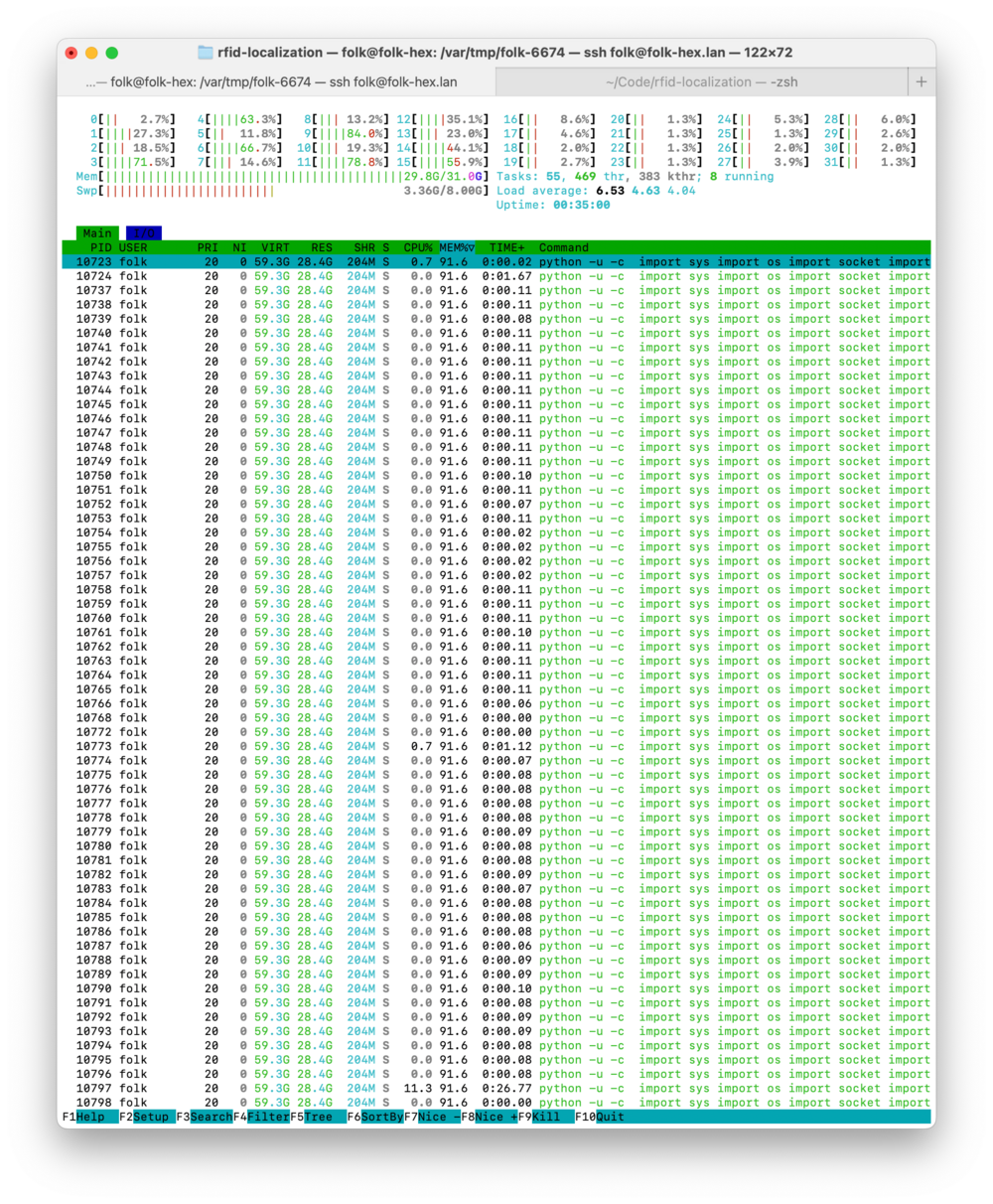
- These are all actually from the same Python process, just multiple threads. It's taking like 30GB of RAM. This was because of a leak in the predictor class where we were just storing every frame forever.
- (Our predictor is sort of hacked together – real-time support isn't native in SAM2, so I ripped off another repo)


RFID localization
Omar: I've been picking up the RFID localization project again (last update was beginning of 2025; here are some much older updates also) – hoping to finish it up and release in August.
The goal here is to, in a few milliseconds, with off-the-shelf hardware (PlutoSDRs), localize UHF RFID tags (~a few cents each, passive / battery-free) with millimeter accuracy. So it's an alternative to having cameras and fiducial markers everywhere (that can also see through walls and containers). It gives you identity and cheap passive tagging the same way fiducials do, but doesn't require cameras or line of sight or the visual noise of the marker. Folk semantics and geometry and projection should apply directly to it and let us make new physical interaction demos.
The first step was to physically rebuild the RFID sensing rig (since we moved to new studio) and verify that it can still ID tags. Got that to work after finding that only some tags respond to my current system:
This brand of tag didn't work:
This tag works, though! (as long as I stick it onto an object, like this eraser) You can see that we get green (fully valid RFID id) entries streaming in:


Too-many-vertices
The current build basically dumps all recorded IQ sample data once it definitively fails, then the PC tries to visualize all the data. Leads to a problem when there is too much data to index with default 16-bit integer index size:

One way to fix is to make the suggested change, but honestly, this problem really shouldn't come up in the first place and is a symptom of trying to dump too much data, so maybe not worth doing this patch.
Home system failures
Current build works (for IDing tags, not localization yet) on the 87R system but not (or at least not reliably) on the system at my apartment.
Home system signals are wigglier and our procedures on the in-band radio (to find sync pulse, reset pulse, reader QUERY message) fail to pick up on them, which makes it impossible to reply to the tag, get tag ID, establish bit boundaries for localization:

Next step: out-of-band alignment
I'm currently working on alignment of out-of-band (hopping) signal with the in-band (RFID control) signal. Having OOB lets us actually localize the tag, because you need information over a wide band.
The fact that it's hard to do this alignment might actually be a good sign – we were probably working with bad data in the old attempt.

Hand Stamp Tags
In preparation for Craft Lake City Daniel Pipkin crafted some tag stamps. This is a departure from our standard approach to tags, that each tag will only ever exist one time in the real world. It was fun to play around with some simple “Wish $hand is outlined magenta” demos. Most of the time was spent just preparing the stamps themselves. Our friends at Cuttle have a stamp tutorial and Forrest O. created an AprilTag component that made the design process fun and effortless.


Outreach
Oana Olteanu's "Against Usefulness" piece
Oana Olteanu (friend of JP Posma) visited last month and very kindly wrote up her thoughts from the visit: https://www.motivenotes.ai/p/against-usefulness
It got to the front page of Hacker News as well: https://news.ycombinator.com/item?id=48882956
Visitors
- Josh Horowitz, old coworker of Omar's from Dynamicland (now doing PhD at University of Washington in Seattle), stopped by, made the Marble Run demo, and talked about the design of the two systems + showed some of his recent research:
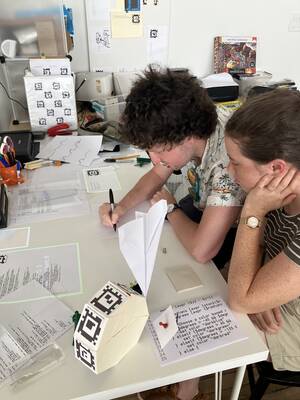
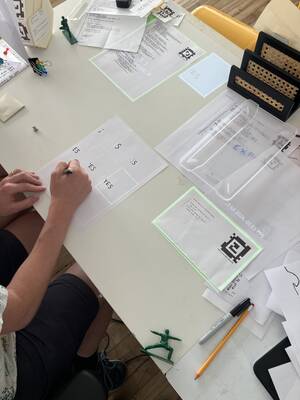
- Ian Clester who we worked with on RFID a few years ago (and who made the original music demo) came by with his wife, showed some of his research, played with the new improvements in the system
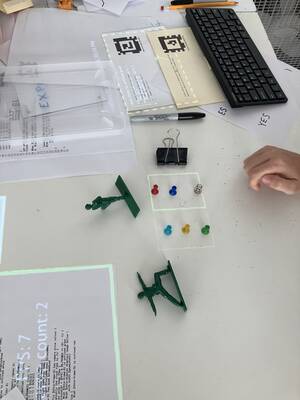
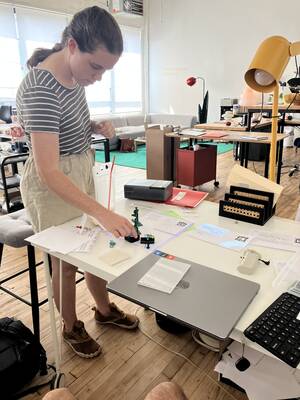
- ScoreCard, inspired by Folk and similar systems
- Tilde: new WebAssembly audio programming canvas startup Ian is working on
- Celine Nguyen visited the studio for a bit – is in the process of moving to NYC, excited to hang out more


Open house
Open houses have been increasing in attendance lately – around 35 people in July. (We think there's word of mouth from ITP Camp, Brooklyn Web Workers, past open house visitors and guests…) Thanks again to Brian Lee for helping host/show people around the system:


What we'll be up to in August
- Our next open house will be the evening of Wednesday, August 26, at our studio in Williamsburg.
- Omar: New push on RFID localization project; release results by end of month
- Omar: DrawTalking / object tracking demos using SAM2 (need to build applications around the tracking capability that we have); go from distorted contours to centers or other simpler useful geometric info; optical flow for better response time
- Omar: More stability and performance fixes (SAM2 Python pileup, editor slowness)
- Andrés: Building a kit for people to try out making Folk desk lamps! Feel free to (DM on Bluesky or email us if you'd like to talk about purchasing a kit)
- Andrés: Browser! Or some sort of HTML renderer (I'm currently imagining:
Wish $this loads the webpage https://example.com with scroll position 10% in a viewport 8.5" wide by 11") - Andrés: Pong, with the imageLib-get/visual probe tools, pong you play with paper or your hands!
- Andrés: Revisiting audio pipelining (see: Pipewire) and adding video via
Wish $this plays video ...
Links we've enjoyed
Andrés
- Displaying a PNG -> Linux framebuffer (28s video)
-
- Making my dream city builder: Part 1 - Parcels (Video, 27:20)
- How I released a game that has no assets (Video, 33:11)
- Making an SNES Game the Way Nintendo Intended (Video, 25:30)